
Timco Security provides camera systems from small to large, simple to complex. We provide:
Installation and maintenance of IP camera systems
We also provide repair and maintenance for legacy analog-style camera systems
Options for analytics, color at night & more
Options for analytics, color at night, two way voice & more
The most commonly used analytics are People Detection and Vehicle Detection. Color at night cameras work best in well lit areas. Infrared cameras can do well up to 100 yards if the correct model is used. Thermal cameras work better than IR or color at night cameras when weather is bad, such as during fog, snow, or rain. While a thermal security camera costs about twice that of an IR camera, it can see things one would never see otherwise,
Systems may be internet connected for remote viewing, or entirely standalone for privacy
Remote viewing will NOT work well with most Frontier connections. Starlink and fiber optic connections are best. Cable internet is hit and miss – some people have good connections and others have spotty connections.
Multi-building & multi-site systems
We can interconnect multiple buildings on one site using fiber optic cable or wireless bridges. Fiber optic is more reliable. We can also connect multiple sites with different internet connections, but this often requires a more expensive internet package because of all the data being transmitted through your internet provider.
Perimeter protection systems – hardwired and wireless solutions for gates, fences, property lines, and along trails.
We usually build these systems to be scalable. They are often done in stages to spread out costs and make sure goals are being met before moving to the next stage.
Surge protection – fiber optics, solar power, and surge protection devices.
Between buildings & to remote cameras: We prefer to use buried fiber optic cables and regular 120v power, since a fiber optic system is usually only slightly more expensive than copper and is far more lightning resistant. Lightning cannot travel over a non-conductive fiber optic cable.
Lightning, in our experience, is far less attracted to 120v power than to low voltage copper, such as CAT6 ethernet wire. If CAT6 is used, is not uncommon to have a surge (caused by lightning) travel from a gate camera up to a building and destroy a camera system as well as devices on the network. Using 120v surge protection and non-conductive fiber optic cables results in a much more robust solution. While our goal is to provide a “buy once, cry once” experience by providing substantial surge resistance, we can’t guarantee that a surge won’t negatively affect equipment. Our surge protection isn’t going to withstand lightning blowing the door off your electric panel!
Wireless systems only work in line-of-sight situations and wireless radios are less resistant to surges on 120v power than cameras and network equipment. They are just more delicate. We can provide preprogrammed radios if you want to swap them out yourself if they do get hit.
We do not provide any systems that are solely battery powered. A good camera uses a lot of power, especially at night. Our NVR based cameras do not “sleep” until the see motion. They are always active and always sending data.
Solar power is an option only if there is adequate sunlight available. They can be used with both fiber optic cables and wireless links, but fiber optic again wins – primarily because it uses less power than the radios, which in turn requires fewer/smaller panels and batteries. Solar power is truly isolated. Even if lightning takes out the entire solar system or all the electronics in the main building, it can’t travel between the two.
A Statement, Many Questions, Even More Answers
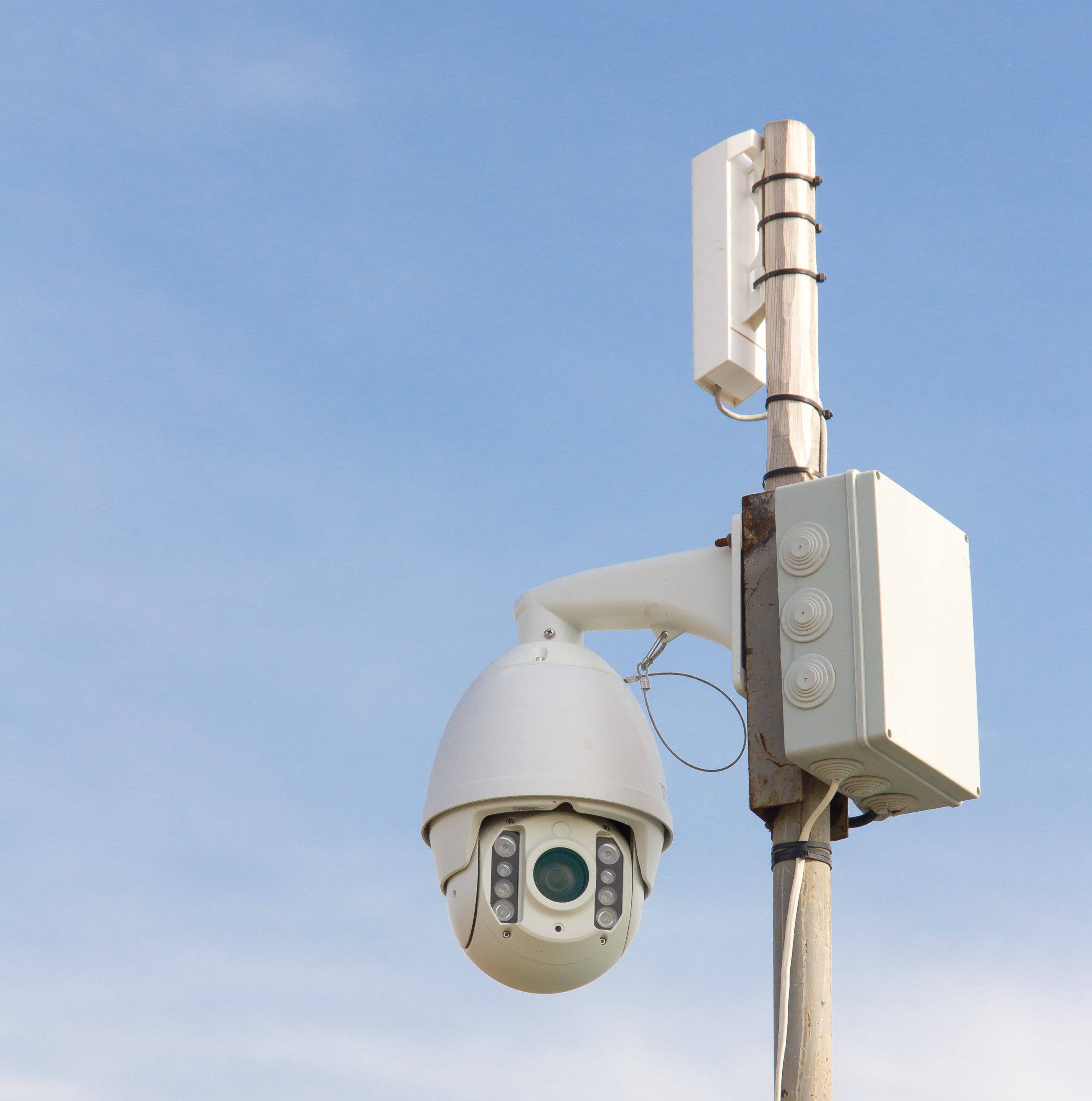
Cameras are a complex subject. It all starts with a statement similar to this: “I just want a camera at the front door, one at the driveway, and a few out back.” The business version is often, “I need to see what is goes on here after hours.”
Then begin our questions. Do you want alerts to your phone? Do you want cameras to record 24/7? Are you fine paying several dollars per camera per month for cloud storage, or do you want no monthly fee? Is your internet reliable? How fast is it? Do you want a live video feed on a monitor, or is just viewing it on a phone or tablet acceptable? What kinds of analytics do you need? Do you think you will expand in the future? The list goes on and on as we try to provide you with a reliable, easy to use system that can grow with your needs.
Recording Types
- Cloud recording requires internet to be reliable and have adequate speed. Cloud recording anything more than short clips usually has monthly fees. Cloud recording may be billed according to disk space used, or on a per camera basis. If you want 24/7 recording or “business hours recording”, cloud storage may get expensive.
- An on-premises Network Video Recorder (NVR) writes the video and related data to a hard drive located on your property. This system has a higher up front cost since it requires the customer to purchase hard drives, but has no monthly fees for the recording video
- Hybrid systems rely on an on-premises hard drive to record video, but use an internet connection to perform analytics. More advanced analytics, such as vehicle make/model detection and parking enforcement, are usually a paid service
NVR vs. DVR
- NVR – Network Video Recorder The camera communicates to the NVR using internet protocol. Regular CAT5e or CAT6 cables are used. Many IP cameras have analytics within themselves, which they send to the NVR. If the IP camera does not have suitable analytics, an NVR with suitable analytics can do the job.
- There are two types of NVRs – stand-alone and PC.
- Stand-alone NVRs are usually sold by camera manufacturers, and provide both the software and hardware. They have their own proprietary operating system. They usually come with 4, 8, 16, 32, 64, or 128 channels. If you have want to add a 17th camera on a 16 channel NVR, you will have to upgrade to a new 32 channel NVR.
- PC based NVRs use PC or server hardware loaded with NVR software. PC NVR systems are usually more flexible than stand-alone NVRs. PC NVR software providers often sell a certain number of cameras with their basic license, and then each additional camera costs ~$80-150 to add to the system. There are also differing sales models – some software companies require annual subscriptions and provide free updates, while others sell the software license with no subscription, but have optional paid upgrades. Timco Security is biased toward systems that work even if the NVR software company ceases to exist or no longer supports its software. We don’t like our customers to be hostages, and we don’t want your system to stop working if it isn’t connected to the internet.
- Please note that Timco Security is a small business with limited man power. Projects over 32 cameras will be broken up into phases. Timco Security likes to start small, get feedback, correct issues while they are small, have a satisfied customer, and then scale from there. Installing 200 cameras and then finding out we should have sold you a different model camera is not what we want to do.
- There are two types of NVRs – stand-alone and PC.
- DVR – Digital Video Recorder These are a legacy solution that has been in use since VCR style recorders became obsolete. They use coaxial cable and can support cameras up to around 8 megapixels. These types of systems are becoming more obsolete, and it is becoming harder to find DVRs that can support over 16 coaxial cameras. Also, analytics can be done only by the DVR, which cannot perform more advanced analytics such as facial recognition or license plate recognition.
- While we can still maintain, repair, and replace older DVR based systems, we do not typically offer them on new installations. That being said, we do still upgrade such systems if it is not practical to replace the coaxial cables.
Why You Need Analytics
- Analytics keep you from having to filter video yourself.
- Suppose your new mower got stolen from your shed last week, and you have no clue when this happened because you were on vacation. The thief closed the shed door and made it look like nothing happened. You do not have a camera in the shed itself, but you have a camera looking toward the shed door. If you do not have analytics, you will need to view up to 7 days (168 hours) with the maximum fast forward speed of 16x. That will take you 10.5 hours, and you must concentrate the whole time or you will miss the thief. At 16x speed, a 4 second lapse in your attention loses 64 seconds on the recording. Hopefully you didn’t miss seeing the thief the first time. If you do, you get to start over!
- Now suppose that you have human detection. You can search for clips of all humans recorded by that camera. Even if you have 100 clips to look through, (because the lawn care company mowed while you were gone) you can go through those in under 15 minutes at 8 seconds per clip.
- Analytics also allow you to receive alerts. Do you want to know when someone approaches your house? Do you want to know when a vehicle pulls into the business parking lot after hours? Most systems allow for smart phone notifications, and some systems have outputs that can sound a buzzer or flash a light, or provide a voice prompt over a speaker.
- Basic Analytics such as human and vehicle detection are not expensive. In fact, we avoid quoting new system without basic analytics. The cost difference is negligible, often around $10 per camera.
- Basic Motion detection – that annoying precursor to AI analytics. A camera with only motion detection is nearly useless is most cases. It sees the movement of the tree shadows, and it triggers. It sees the shadows caused by the clouds, and triggers. It sees Mr. Spider weaving his web, and triggers. Motion detection by itself is rarely used because it produces numerous false alarms. However, it is the first step for processing AI analytics. Once motion detection triggers, AI comes in and filters the event. A camera that advertises having just motion detection is not very useful unless it is viewing an empty, sterile laboratory.
- Analytics are not perfect. They sometimes mistake one object for an other, and can be affected by weather, dust, direct sunlight, or the spider making his web in front of the camera. However, analytics have improved greatly in recent years, particularly in the detection and recognition of people, objects, and faces. Nevertheless, analytics cannot analyze well they do not have enough pixels to analyze, so things farther away may not trigger an alert. Alarm Systems usually create fewer false alarms than camera detection.
- Detection vs. Recognition. Face detection acknowledges a face and records a snapshot. Face recognition detects the face and compares it against a database. If the face is in the database, it is associated with the person having that face. If the face is unrecognized, it is marked as such and stored with the other unknown faces. License Plate Recognition functions much like face recognition, but also places the letters and numbers on the tag into a searchable database.
Analytics Options
- Human Detection
- License Plate Recognition
- Face Recognition
- Face Detection & Counting
- Line Crossing Detection
- Abandoned Object Detection
- Parking Enforcement
- Retail Anti-Theft
- Vehicle Description (make, model, color, body style, etc.)
- Human Characterization (features, clothes, etc)
Recording
- Recording can be done 24/7, only for detected events, a mix of the two, or not at all.
- 24/7 recording takes the most hard drive space. For these reasons, 24/7 cloud recording has the highest monthly fees. It’s is probably better to just get an NVR and record on hard drives you own.
- Analytics recording saves a video and/or still clip when an event occurs. This strategy uses significantly less hard drive space than continuous recording, but has a major disadvantage: if an event was too small to trigger recording, you may be able to see it on a continuous recording. If there is no continuous recording, you don’t have that option. Also, if you repeating triggers, you may not save much hard drive space over a 24/7 recording.
- Hybrid recording is often used by business. They record all video during work hours, and then only by analytics alerts when closed.
- Please note that these settings have flexible configuration. If you have hybrid recording and want 24/7, it is easy to make the change. The only issue is that your recording time may be reduced, so instead of 4 weeks, you may only have 1.5 weeks of record time. That can be remedied by adding hard drive capacity.
- Some customers have no need for recording and only want a live video feed. In such cases, no hard drive is required.

We are biased, and we are not hiding it!
Timco Security prefers on-premises NVRs with local analytics
Here’s Why:
Monthly fees: Our NVRs usually have no monthly cloud recording fees, and therefore no raising of cloud recording prices after a few years. The exception is for advanced analytics such as parking enforcement and vehicle description analytics which charge monthly fees, but that is for analytics and not recording.
Reliable Connections: Many cloud recording cameras communicate through WiFi rather than a physical wire, and that brings in a whole new set of weaknesses such as:
- Automatic updates wiping out camera WiFi settings. This requires a service call or a knowledgeable customer to fix.
- WiFi jamming prohibiting cameras from connecting with the internet or WiFi NVR. The sad thing is that usually only happens when someone is attacking your facility, so by the time you find out what happened, it is too late.
- Changes to the router requiring all cameras on the system to be reset. Fixing this issue requires a service call or a knowledgeable customer.
- Changes in the surroundings that affect signal strength between the router and camera. If the WiFi camera communicates to a dedicated WiFi NVR, there may be two WiFi networks operating in very close proximity. Because wireless communication is invisible, there is a certain amount of guesswork. “Can you fix that?” gets an “I can probably fix that, but there are no guarantees and have to bill by the hour.” Again, another billable service call.
- Adding cameras can mean running new wire and having to add WiFi access points. This often negates the higher initial cost of an NVR system.
While NVRs don’t make us as much recurring money because of service calls, NVRs give us happier, long term customers.
Scalable Pricing: The main disadvantage of NVR Systems is the up front cost, but the price per camera goes down with larger systems. While a 4 camera system may cost around $4,000 for parts and labor, a 16 channel system with the same style cameras may be only $12,000. That is $1000 per camera versus $750 per camera. The greatest expenses are the NVR and hard drives.
Better On-Site Viewing: NVRs usually have a minimum of two monitor outputs. PC based NVRs often come with two or more monitor outputs and can be upgraded to feed many monitors. Most consumer grade cloud cameras are to be viewed from a smart phone or tablet.
Reliable Recording: NVRs provide the customer with a robust system that continues to record normally even if there is no internet. Off-site viewing of cameras will not work for any system if there is no internet, but once internet is reestablished, an NVR system will let you remotely access what was recorded during the outage.
Reliable Software: If the on-premises NVR system is functioning correctly, you can often turn automatic updates off and run the system for years without issue. Updates may be free or paid depending on the system, but you can choose what you do, and when you do it. You have control. The manufacturer doesn’t lock you out because you missed a bill.
Enterprise Integration: Larger NVR systems may have better options for enterprise level integration. Do you want a license plate camera to automatically open you electric gate when you pull up? It can be done. Are you concerned that that disgruntled former employee might come back to attack your facility? Have us integrate your camera and access control systems. A camera detecting his face will lock all exterior doors.
Privacy: For those who are privacy minded, NVRs can be entirely disconnected from the internet and still function normally. There will be no remote alerts to your phone, but there are options for audio alerts and relay outputs that can flash a light or perform some other kind of function on site.
Proprietary Equipment: NVR systems let you use different brands of cameras on different brand NVR platforms via ONVIF protocol. That being said, not all camera analytics work with all NVRs, so it is good to use NVRs that can receive camera analytics from multiple brands, or utilize NVRs that can perform the analytics themselves. Please note that many security companies do not provide the NVR administrator passwords to their customers. This makes it hard to add, remove and reconfigure cameras and maintain those systems. We are happy to provide administrator passwords once installation is done and payment is complete. At Timco Security, we believe that you should be free to use another company if you are not satisfied with us. If you have paid for it, you own it, and you should be able to have control of what you own. Just don’t loose the password if you change it!
Do You Want Perfection? Neither cloud based systems nor NVR based systems are perfect. They both have issues issues and limitations. It is impossible to have a system with every single option, and even if such a thing were available, it wouldn’t be perfect 100% of the time. Timco Security tries to provide reliable systems that suit our customers needs.
Nevertheless, there are homes and businesses out their that have experienced no issues using cloud based & WiFi based cameras. They are often times a good DIY solution, a option for smaller needs such as checking on the dog in the living room, the child in the playpen, or for seeing who is at the door. They have their place, but get tedious and time consuming when they have problems. If you are a DIYer who doesn’t mind spending an hour once a year, or every three years, or every six months or at some other random interval, to maintain a camera, cloud cameras may be for you. Now imagine if you have 16 WiFi cameras. Four of them have issues in one year, but all at different times. You will easily spend $600 with us in one year if you request four separate service calls.
You ask, “Will you install or repair my cloud based WiFi cameras?” We are willing to help you. Just know that we are not familiar with all the different brands and their quirks and complexities, and we bill by the hour. We also don’t sell most cloud based camera equipment, especially consumer grade products, and are unable to warranty parts or labor.
Cameras
- Megapixels (MP) are the resolution of the camera, which is the number of pixels in the image it creates. 1080p is 2 MP and 4K video is 8.3 MP. With megapixels, more is not always better. A 2MP camera will often outperform an 8MP camera at night, because each pixel gets more light. If your cameras are looking at well lit grocery store aisles, you probably want 8MP cameras, but if you are trying to see the back fence get cut at 2 AM, you probably want a 2MP or 4MP camera. A lot of it has to do with a camera’s sensor size, but that can be researched elsewhere.
- Field of View has a significant effect. Many cameras are wide angle and view an area of around 110 degrees. Once mounted on a soffit and pointed down, they typically view just over 90 degrees. However, wide angle cameras spread the available pixels over a larger area, which reduces resolution. A 45 degree 2MP will provide the same clarity as a 90 degree 8mp camera. Keep in mind that because cameras are seeing an area, you will get double the clarity by quadrupling the number of megapixels. A 32 MP camera is twice as clear as a 8 mp camera of the same field of view. Complicated, right? If you are viewing something farther away, you probably want a narrower field of view so that you have that object on more pixels. That is why License Plate Cameras are usually dedicated to only seeing the back or front of the vehicle, and nothing else.
- Night vision is available in two types: IR and “color at night.”
- IR Cameras used infrared light, which is nearly invisible to the human eye. IR cameras become black and white at night. They are harder to spot at night and only give off dim reddish glow.
- Color at Night cameras do not become black and white. Instead of IR LEDs, they have white LEDs, which are bright enough to illuminate the area. Having a lot of ambient light makes them function even better. The disadvantage is that the cameras are easy to spot, and, when used on a residence, all the light can make it hard for some people to fall asleep.
- DORI stands for Detection, Observation, Recognition and Identification. Camera manufacturers often provide the DORI distances for their cameras. Some installers consider these numbers to be inflated, and recommend cutting manufacturer DORI distances around 50%.
- Fixed Lens Cameras are cannot be zoomed in or focused. They are set from the factory.
- Varifocal Lens Cameras have a lens can be zoomed and focused. This may be a manual function at the camera, or a remotely controlled motorized lens.
- Motorized Lens Cameras can be zoomed or focused with inputs from the NVR, a joystick, or an app.
- Many motorized lens cameras provide focal length in this format: 6mm-60mm. Dividing the larger number by the smaller will give you the amount of zoom. In this case it will be 60mm/6mm=10x zoom.
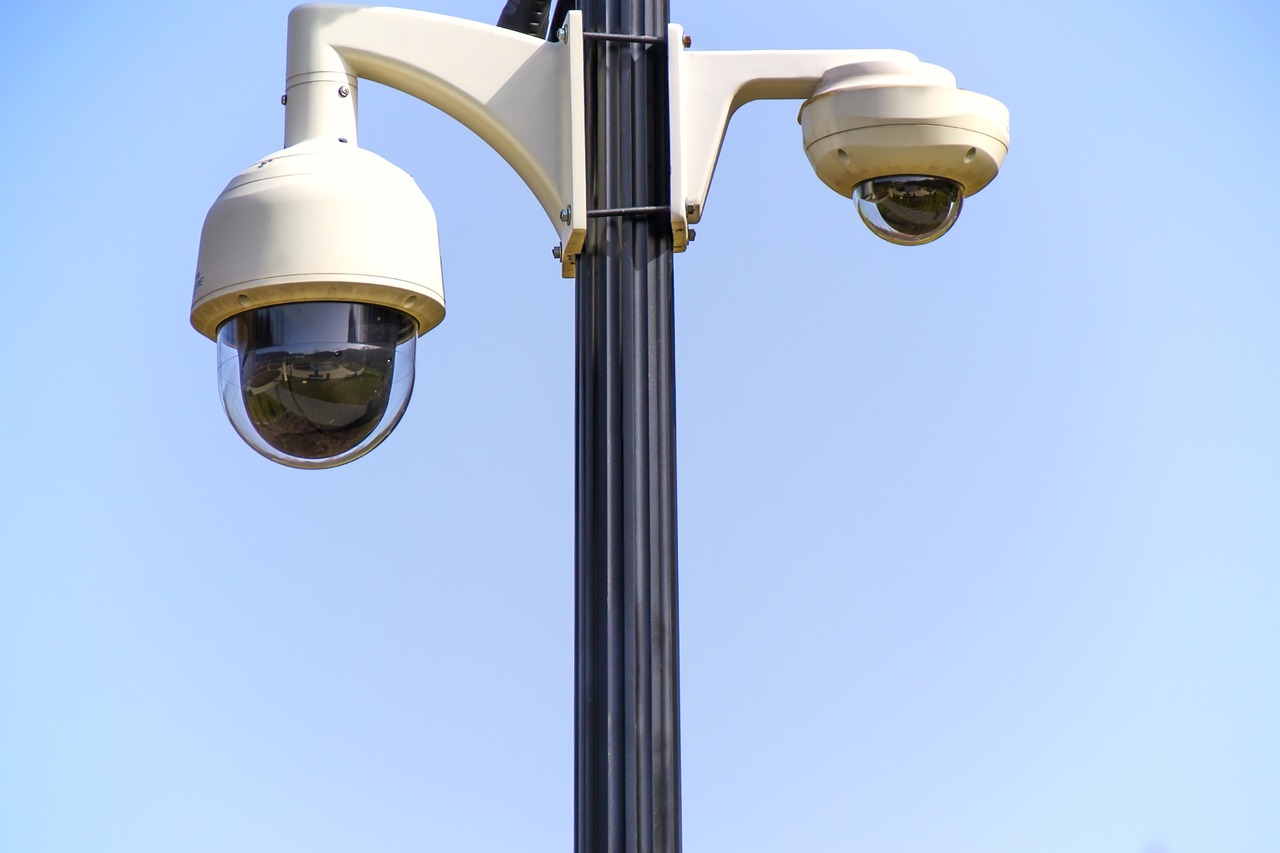
- PTZ stands for Pan/Tilt/Zoom. These cameras allow one to focus in on an object or person of interest.
- Overwatch – PTZ cameras are not particularly useful for recording a large area all the time, since they only view the area they are pointed toward. Most don’t have a field of view over 100 degrees when fully zoomed out. Sometimes it is better to just have three or four wide angle cameras to view the whole are, all the time.
- Auto Tracking – Many higher end PTZ cameras can automatically zoom in on a person or vehicle and follow it until it is out of sight.
- Tour – This keeps the camera constantly scanning from one preset location to another. Most PTZ cameras and NVRs support the tour function.
- Triggering – One of the best ways to use PTZ cameras is to pair them with relatively basic cameras that perform overwatch. These cameras detect a vehicle or person moving, and trigger the PTZ to move in that direction and zoom in. It is far cheaper to have 4 wide angle cameras and one PTZ camera on a pole than to have 4 PTZ cameras on a pole. It’s also scalable. Install the 4 fixed lens cameras first, and if they are not enough, add the PTZ camera later.
- PT Cameras – These cameras can pan and tilt, but do not have a motorized lens.